
Austin’s freelance economy has exploded over the past five years. Between the influx of tech companies relocating to Central Texas and a growing remote-work culture, solo freelancers in Austin are competing with talent from across the country – sometimes globally. AI tools for solo freelancers in Austin have shifted from novelty to necessity for anyone who wants to keep rates competitive while staying profitable.
Why AI Tools Matter for Austin Freelancers
The Austin market rewards speed and quality. Clients here – whether they’re startups in East Austin or established firms in the Domain – have high expectations and often tight timelines. AI tools help solo operators punch above their weight without hiring staff.
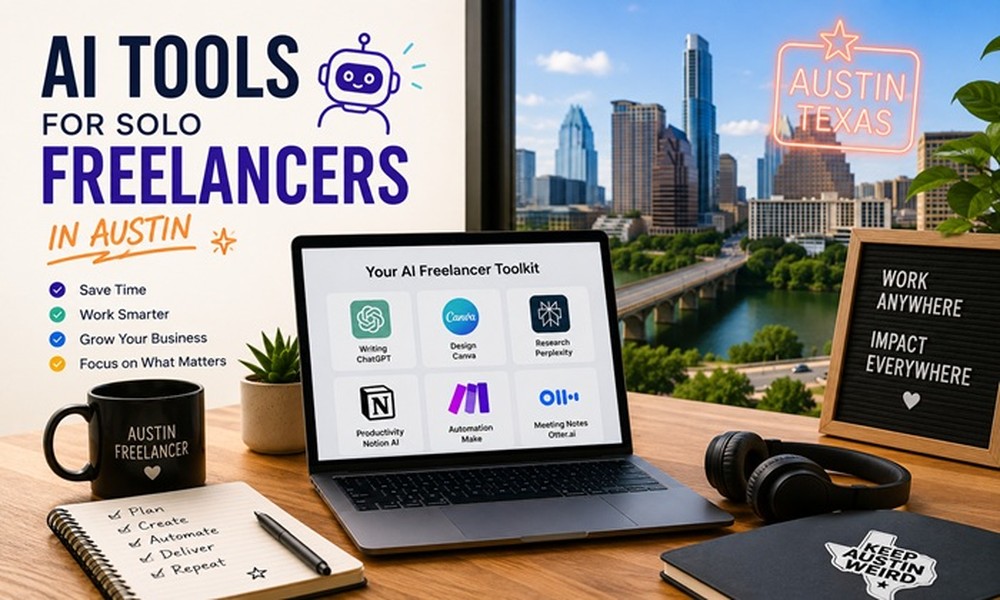
Best AI Tools for Austin-Based Solo Freelancers
1. Claude or ChatGPT for Writing and Research
Whether you’re drafting proposals, writing content, or researching client industries, AI writing assistants compress hours of work into minutes. Austin freelancers in marketing, PR, and consulting report using these tools to manage 30-40% more clients than they could previously.
2. Notion AI for Project Management
Notion AI sits inside your project workspace and helps you summarize meeting notes, draft deliverables, and create client-ready documents from rough outlines. For solo operators managing multiple clients in Austin’s fast-paced environment, this keeps everything organized without a separate tool stack.
3. Descript for Video and Podcast Editing
Austin has a vibrant creator and media consulting scene. Descript uses AI to let you edit audio and video by editing the transcript – delete a word from the text, and it’s gone from the recording. For freelancers producing content for clients, this cuts editing time dramatically.
4. Canva AI (Magic Studio) for Visual Work
Even non-designers can produce polished social media graphics, pitch decks, and branded content with Canva’s AI features. Magic Studio handles image generation, background removal, and layout suggestions. For Austin freelancers who wear many hats, this eliminates the need to outsource design work.
5. Otter.ai for Client Meetings
Otter transcribes your client calls in real time, generates summaries, and highlights action items. In Austin’s face-to-face and hybrid meeting culture, having an accurate record of every conversation protects you professionally and keeps projects on track.
AI Tools Comparison for Freelancers
| Tool | Primary Use | Monthly Cost | Best For |
| Claude/ChatGPT | Writing & Research | Free-$20 | Content, Proposals |
| Notion AI | Project Mgmt | $10-16 | Multi-client org |
| Descript | Video/Audio | Free-$24 | Media freelancers |
| Canva AI | Design | Free-$15 | Visual content |
| Otter.ai | Transcription | Free-$17 | Client meetings |
Expert Insight
Austin-based freelance strategist Dana Reyes notes that the most successful solo operators use AI to reclaim billable hours – not to cut corners. ‘The goal is to spend more time on the work only you can do, and use AI for the repeatable parts,’ she says. At $100+ hourly rates common in Austin’s tech sector, even two recovered hours per week adds up to significant annual income.
Common Mistakes to Avoid
- Using AI output without editing – clients in Austin’s professional market notice generic AI writing immediately.
- Subscribing to too many tools at once – start with one AI tool, master it, then add more.
- Not disclosing AI use where required – some Austin clients, particularly in legal and compliance, have strict policies about AI-generated content.
FAQs
Are AI tools replacing freelancers in Austin?
Not the good ones. AI tools are replacing low-skill, low-value work – which creates an opportunity for Austin freelancers to move up-market toward strategic, relationship-driven work that AI can’t replicate.
What AI tool gives the best ROI for a solo freelancer?
An AI writing assistant (Claude or ChatGPT) typically delivers the fastest ROI because writing tasks – emails, proposals, reports – are nearly universal across freelance disciplines.
Do Austin startups care if their freelancers use AI?
Most don’t, as long as the quality is there. In fact, many Austin startups see AI proficiency as a positive signal that a freelancer keeps up with the tools shaping their industry.
Start with one AI tool that solves your biggest daily bottleneck, then expand from there. Austin’s freelance market rewards those who deliver quality quickly – and the right AI stack makes that possible.
About The Author